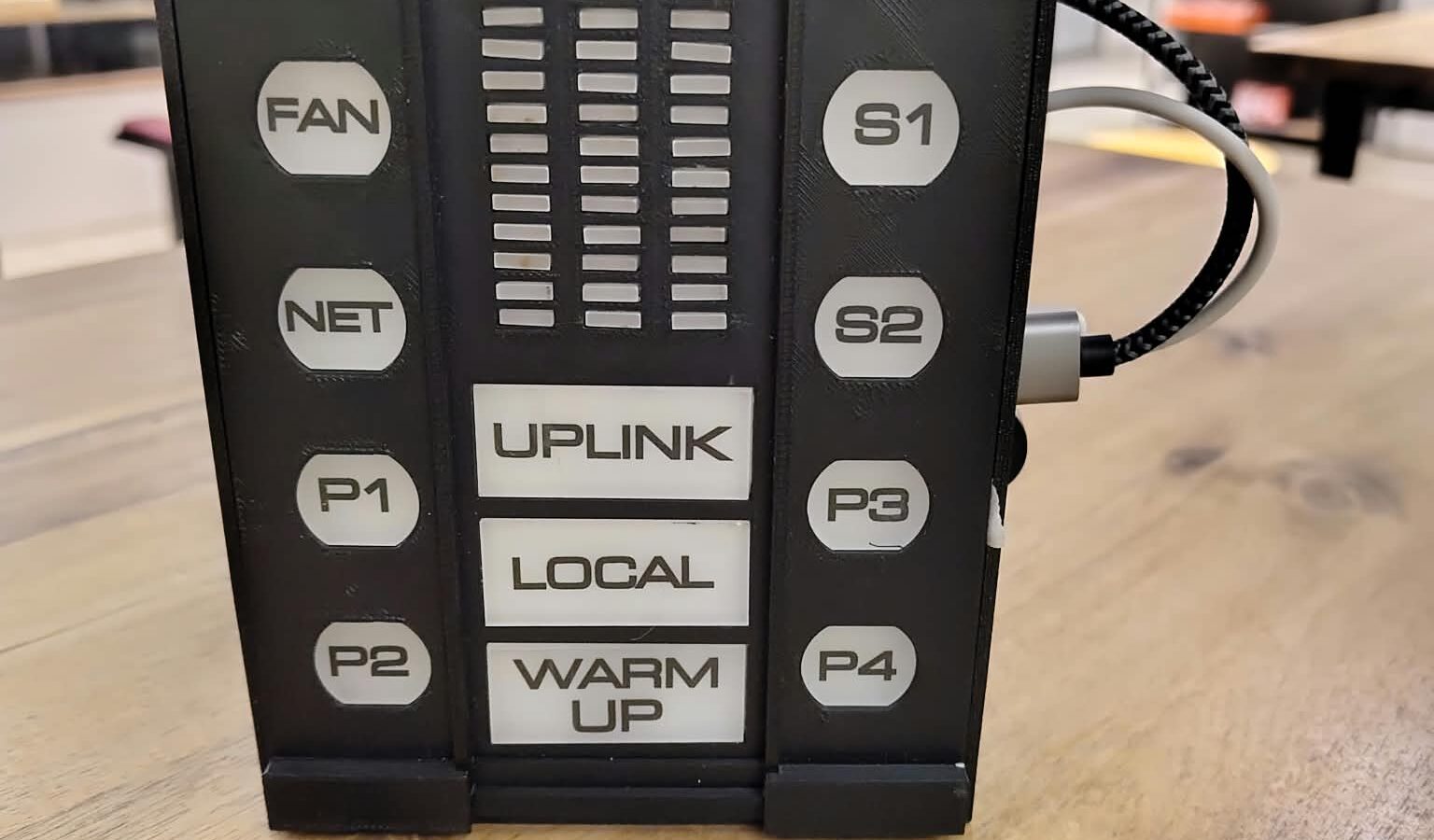
If you grew up with Knight Rider, you know it: the red voice modulator in the center console, its three bars lighting up in time with KITT’s voice. A box just like that now sits on my workbench – except that it doesn’t merely blink. You address it with “KITT”, it understands the question, thinks for a moment and answers in KITT’s voice. And it does so offline: speech recognition, language model and voice all run right inside the box.
This post is not about every line of code, but about how the box is built and how the technology behind it works together.
What the box can do
- Answer questions – knowledge, everyday life, technology, conversation. With the dry humor and the polite manner you know from KITT.
- Answer in several languages – KITT answers in the language he is asked in: German, English, French, Spanish, Portuguese, Dutch and (with some limitations) Luxembourgish.
- Interpret – “KITT, interpret between German and French.” After that, every sentence is rendered in the respective other language.
- Tell you about itself – when asked “How do you work?”, or for the time or date, the box answers without the language model, i.e. instantly.
- Noisy environments – instead of waiting for the wake word, the box listens at the push of a button. In an exhibition hall with a background level of 70 to 80 dB, a push button is simply the most reliable solution.
The hardware
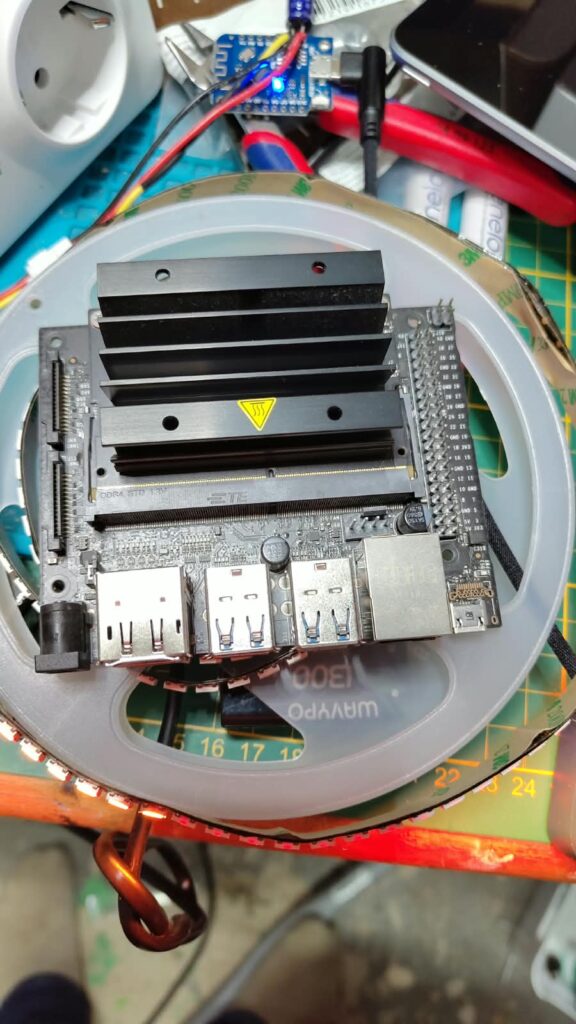
At its heart is an NVIDIA Jetson Orin Nano with 8 GB of memory. Speech recognition, language model and speech output all run on this small board at the same time – on 8 GB of shared memory, that is quite an exercise in frugality.
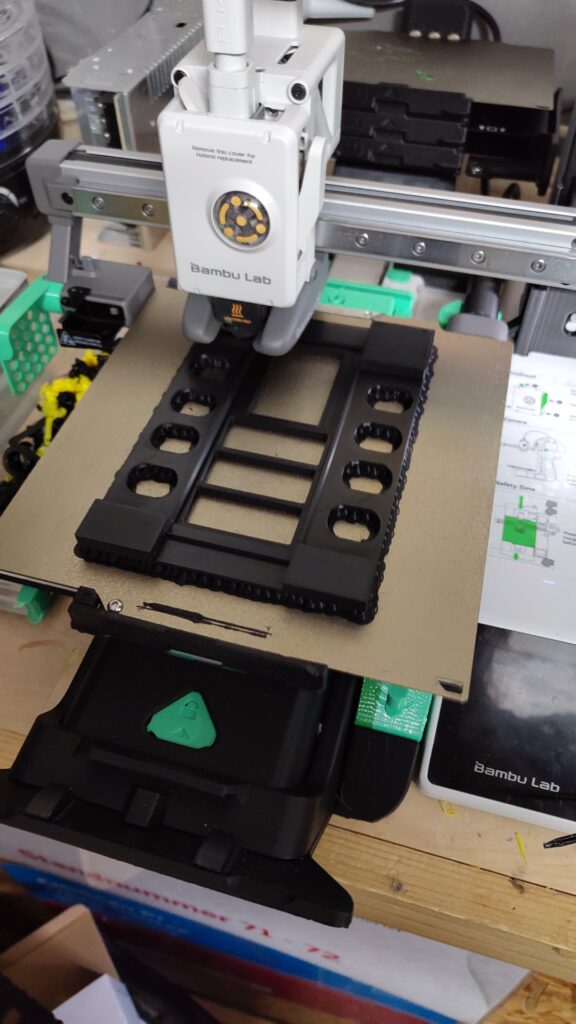
Audio runs through a simple USB sound card. Coming in is the signal from an electret microphone capsule that sits right in the front panel; going out, it passes through a small audio amplifier to a speaker. The enclosure comes from the 3D printer.
The lights are handled by a Wemos D1 mini running WLED and a single string of WS2812 LEDs: at the front the three voice bars with eight LEDs each, behind them the eleven illuminated buttons – FAN, NET, P1 to P4, S1, S2 and the three mode fields UPLINK, LOCAL and WARM UP. The model is the center console from the series; I adapted the labels to my box. That makes 38 LEDs in total. The Wemos is connected to the Jetson via USB; the Jetson computes the pixels itself and sends them over serially. That way the panel doesn’t need Wi-Fi – a real advantage at trade shows.
From the spoken word to the answer
Every round follows the same chain:
Mikrofon → Sprache erkannt → Whisper → „KITT“? → Sprachmodell → Stimme- Listening: The box detects whether someone is speaking from the signal energy. The threshold is set relative to the noise floor measured at startup – so you don’t have to readjust it for every room. A short pre-roll of 300 ms is recorded as well, otherwise the first sound would be missing.
- Understanding: Whisper converts the recording into text and detects the language in the process.
- Being addressed? There is no dedicated model for the wake word – it is read from the transcript. Because Whisper rarely spells a short “KITT” the same way twice, the comparison is fuzzy: “Kit”, “Kid” or “Kitty” count as well. A blocklist prevents a harmless German “Gut, dann …” (“Okay, then …”) from passing as being addressed.
- Thinking and speaking: The language model formulates the answer, the voice speaks it – more on that in a moment.
A detail that is easy to forget: while KITT is speaking, the microphone is muted. Otherwise the box hears its own answer, transcribes it – and answers itself.
The brain: small on board, big on the network
On board, a small language model, Gemma 4 E2B, runs via llama-server directly on the Jetson. That makes the box completely self-sufficient.
If my machine “Ralf” is reachable on the network – a PC with two AMD graphics cards –, the question goes there instead. There, a considerably larger Gemma 4 model with 26 billion parameters answers, and in front of it sits the agent Hermes: it gives KITT a memory and the ability to search the web, via a locally hosted search engine. If Ralf goes down, the on-board model takes over again without interruption.
You can see on the panel who is doing the thinking: LOCAL stands for the on-board systems, UPLINK for the external processing unit. KITT announces the switch beforehand, very much in his own style: “I am bringing the external processing unit online. A little more computing power has never hurt.”
Working on the character was fascinating. A system prompt describes who KITT is – polite, dry, concerned for the safety of the person he is talking to. With small models, however, example dialogues have a much stronger effect than descriptions. One example: the instruction to answer in the language of the question was not followed by the model in any of three attempts with a French question. With a few French example dialogues, it worked three times out of three. Small models imitate what you show them – not what you tell them to do.
The voice
For the voice I use Qwen3-TTS, a speech synthesis model that recreates a voice from a short reference recording. A clip of a good six seconds is enough – nothing is trained for this. A few tricks were needed nonetheless:
- The reference recording is preceded by 250 ms of silence. Without this padding, the model puts a short click in front of every sentence that sounds like a “t”.
- In all texts the name is written as the word “KITT”, not as “K.I.T.T.” – otherwise the voice spells it out.
- For foreign languages, a separate reference can be stored per language, so that KITT doesn’t speak English with a German accent.
So that you don’t have to wait long for the answer, streaming happens on two levels: the language model delivers sentence by sentence, and each sentence is generated in chunks and played back immediately. So the first sentence is already playing while the model is still writing the second. On the development machine, the first sound can be heard after just under a second this way. If Ralf is reachable, a graphics card takes over the speech output there as well, considerably faster than the Jetson.
Finally, the voice passes through a small effects chain: high-pass, a bit of presence at 3 kHz, compressor and limiter. This gives it the typical on-board computer sound – but above all about 10 dB more average loudness. On a small speaker with just a few watts, that is exactly what determines intelligibility.
The lights
The three voice bars glow behind a slotted bezel and move with KITT’s voice – with the signal the box itself generates, that is, not with a microphone on the panel. That way they react only to KITT and not to hall noise or the neighboring booth. The level is tapped before the effects chain compresses it, otherwise the bars would be pinned at maximum almost all the time.
On power-up, the center console’s startup sequence runs, just like in the original. I measured it from film footage: the buttons come on in pairs – FAN and S1, then NET and S2, P1 and P3, P2 and P4 –, each a good 0.75 seconds apart and accompanied by a two-note chord. At the end LOCAL lights up, without any sound. A small surprise when measuring: the tones are not tuned to the usual scale. If you round them to the nearest notes, you are off by up to half a semitone.
Experiment: KITT for the smartphone
As a proof of concept, I also brought KITT to the smartphone – an Android app just for my own phone, not in the app store. The phone listens and recognizes speech with Whisper directly on the device; KITT himself runs on Ralf and is reachable on the road through a WireGuard tunnel. In its mount, the phone shows the three bars on black; under Android Auto, the whole voice box with its rows of buttons.
Conclusion
The KITT Voice Box is one of those projects where maker fun and serious technology come together: 3D printing, LEDs and a soldering iron on one side, local speech recognition, a language model and a cloned voice on the other. And it shows how much is possible today on a small board without the cloud.